A Crovio widget isn't showing on my store
Fixes for bundles, the cart drawer, widgets, the subscribe widget or pre-order buttons not appearing.
On this page
Work through these in order. Most of the time it's the first one.
1. Is the app embed on in your live theme?
Bundles, gifts, the cart drawer, pre-orders, widgets and tests all load through the Crovio A/B tests app embed. Open Online Store → Themes → Customize → App embeds on your published theme, switch it on and save. Turn on the app embed.
If you recently published a new or duplicated theme, the embed has to be switched on there too.
2. Is the thing active?
Drafts and paused items don't show. Check its status is Live (bundles, discounts, campaigns, plans, widgets, checkout blocks) or that the cart drawer mode is On for everyone. Widgets and the cart drawer set to Only in A/B tests only show to test groups that turn them on.
3. Does it target this product?
- Bundles: is the product in the bundle's products, and not excluded? If several bundles match, only the oldest active one shows.
- Pre-orders: is the product (or variant) in an active campaign that has started, hasn't ended and hasn't hit its unit limit? In When out of stock mode, the variant must have tracked inventory at 0 or less.
- Subscriptions: is the product in an active plan?
- Widgets: check the widget's Audience tab (pages, products, devices, visitors, schedule). Low stock only shows on variants that track inventory and are at or below your threshold. Shoppable videos set to Only its videos show nothing on products with no tagged video. Widget troubleshooting.
4. Is the block on the right template?
- Subscribe widget: needs the Crovio subscribe block on the product template. Set up subscriptions.
- Bundles and inline widgets show next to the buy buttons by themselves; if you placed the Crovio bundle or Crovio widget block, it must be on the template this product uses.
- If your product uses an alternate template (for example
product.special), add the block there too.
5. Is your browser showing an old page?
Open the page in a private window. If you're testing a test variant, use the preview links in QA & preview instead of your normal browsing session: you might be in the Control group.
6. Is your theme unusual?
Crovio places widgets next to your theme's standard product form. Heavily customised themes or page builders can hide or move that form. Place the block by hand (the bundle, pre-order and widget blocks support this), or contact us with the product URL.
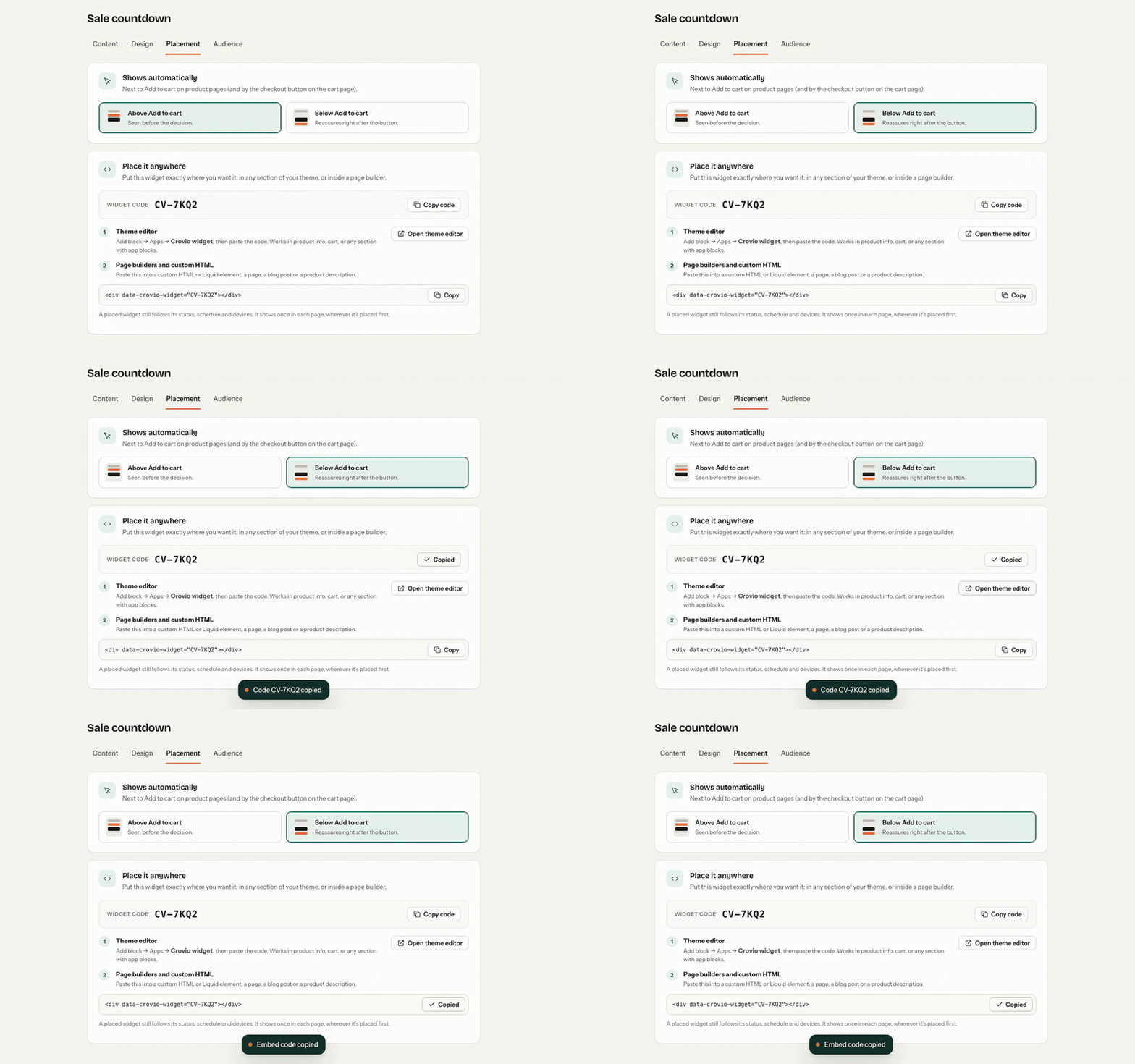
To put a widget in an exact spot, copy its widget code from the Placement tab and paste it into a Custom Liquid block or your page builder:
Was this page helpful?