Read your impact report
See the revenue each Crovio tool brought in, test wins and how orders changed, for any period.
On this page
Impact shows everything Crovio did for your store: revenue each feature brought in, test wins, and how orders changed.
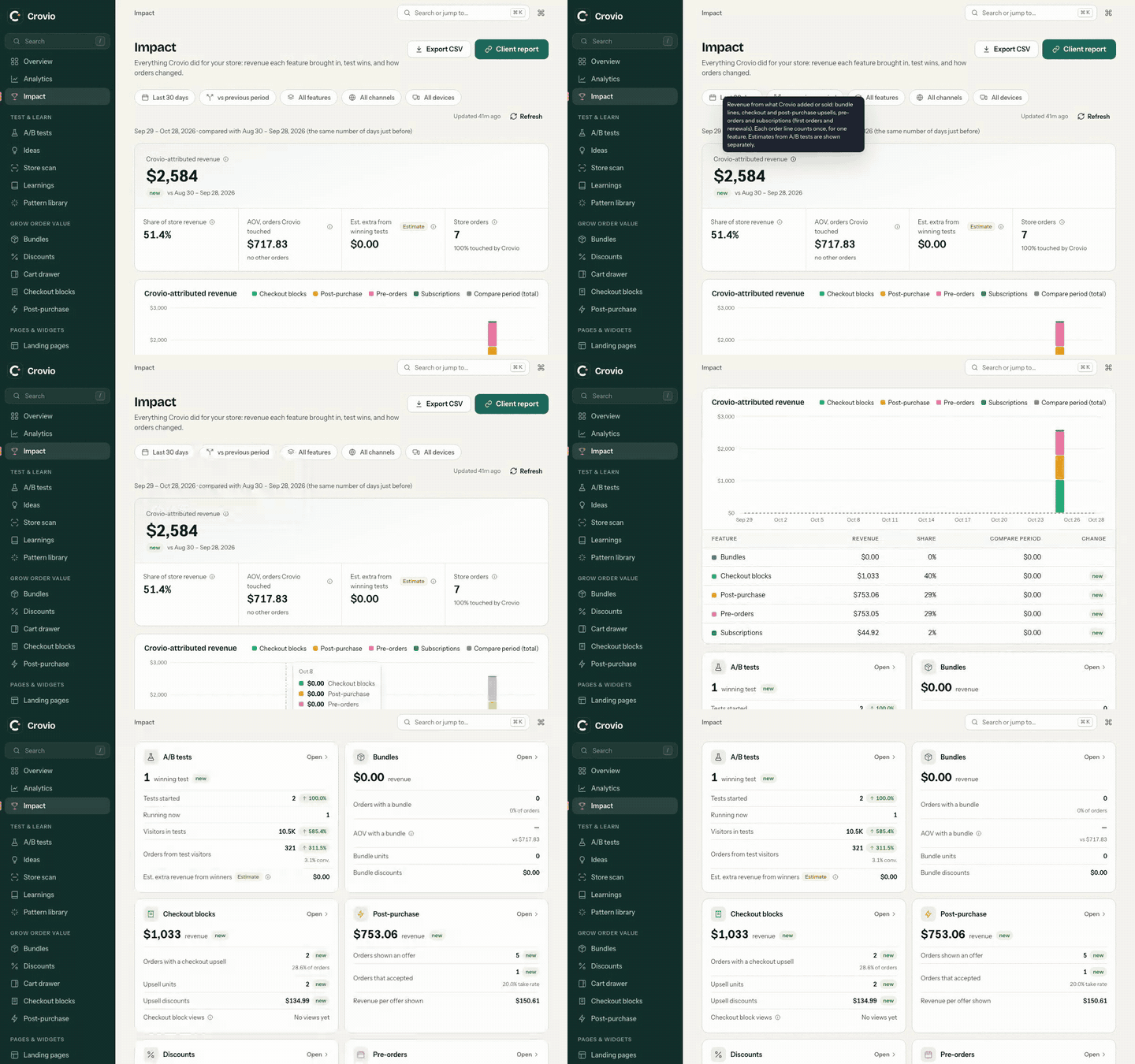
Filters
- Period: Last 7 days, Last 30 days (default), Last 90 days, This month, Last month, Year to date, All time, or a Custom range.
- Compare: vs previous period, vs last year, or no comparison.
- Features, Channels and Devices (the device filter applies to A/B test visitors only).
The first visit reads your orders from the last 12 months; numbers fill in as they arrive. Refresh updates them.
What you'll see
- Crovio-attributed revenue: revenue from what Crovio added or sold: bundle lines, checkout and post-purchase upsells, pre-orders and subscriptions (first orders and renewals). Each order line counts once, for one feature. A chart shows it by feature over time.
- Share of store revenue.
- AOV, orders Crovio touched vs all other orders.
- Est. extra from winning tests: for each winning test, the winner's extra revenue per visitor times the test's daily visitors, for every day since it ended (up to 12 months).
- A card per feature, such as AOV with a bundle, upsell impressions, revenue per offer shown, pre-order money collected and still to collect, MRR and active subscriptions.
- Tests in this period with their result, lift and estimated value per month.
Click Export CSV to download the numbers.
How Crovio counts this
Measured revenue comes from your Shopify orders: lines Crovio added are tagged (checkout upsells, bundle gifts), bundle and offer discounts are matched by the name Crovio gives them, and pre-order and subscription lines by their Crovio selling plan. Post-purchase revenue is what accepted offers added. Renewals are the subscription orders Crovio billed.
A discount from another app with exactly the same title as a Crovio offer would be counted as Crovio's. Orders with more than 30 lines are read up to line 30.
Was this page helpful?