Checkout rules
Hide, rename or reorder payment and delivery methods, and stop orders with PO boxes, missing house numbers or over your limits, on every Shopify plan.
Checkout rules change what shoppers can pick in checkout. They run in every checkout, on every Shopify plan, with no block to place. Go to Checkout blocks → Rules.
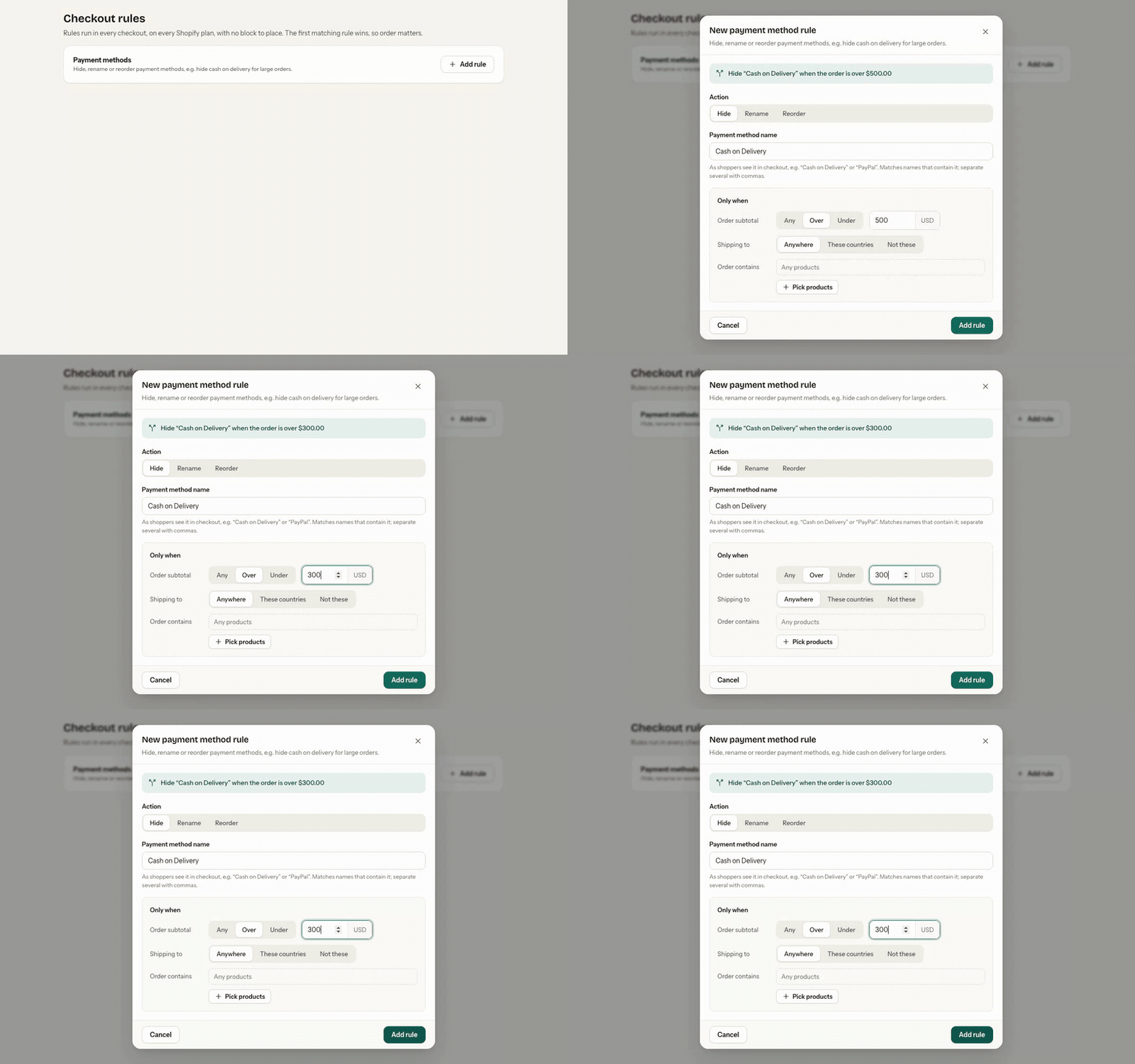
Payment methods and delivery options
Click Add rule under Payment methods or Delivery options, then:
- Action: Hide, Rename (type the New name) or Reorder (move it to the Top of the list or Bottom of the list).
- Name: the method as shoppers see it in checkout, for example
Cash on DeliveryorExpress. It matches names that contain it; separate several with commas. - Only when (optional):
- Order subtotal: over or under an amount.
- Shipping to: these countries, or not these, as two-letter codes (
US, CA, GB). - Order contains: picked products.
- Save.
Examples: hide cash on delivery for orders over 500; hide express shipping outside your country; rename "Standard" to "Free tracked delivery"; put your preferred payment method at the top.
Order and address checks
Under Order and address checks, add a check that stops the order with a message shoppers see:
| Check | What it does |
|---|---|
| No PO boxes | Shoppers can't ship to a PO box |
| Require a house number | The street address must contain a number |
| Minimum order amount | Orders below this subtotal can't be placed |
| Maximum order amount | Orders above it can't be placed (for example fraud limits) |
| Limit per product | No more than this many of any one product per order |
| Limit per order | No more than this many items in one order |
Each check has a Message shoppers see; {{amount}} fills in your limit.
Order matters
The first matching rule wins, so order matters: use Move up and Move down. Deleting a rule stops it applying right away.
Was this page helpful?